Error in connecting to CRM2011 Discovery Service
Issue: There is an error popping up when you try to connect to CRM 2011 discovery service from plugin registration tool.
(click on image to enlarge)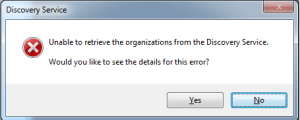
Reason: Plugin registration tool takes in the credentials saved in the temp folder for Microsoft Live when logging into CRM Online. We need to force the tool to use the credentials entered by the user.
Resolution:In order to overcome this issue. Go to Start -> Run -> %userprofile%\LiveDeviceID. There will be a file by name LiveDevice.xml. Delete this file and restart the plugin registration tool using SSL certificate in discovery service URL. It should work now.