Using the Case Resolution in Workflows via a Custom Workflow Activity
The most common email notification request from customer support team is to “send an email to the client when a case has been resolved” I have written this custom workflow activity to get description field from case resolution dialog and insert in email body.
You can get the complete visual studio solution from this link http://sdrv.ms/16JPX46
Steps:
- Download and compile the solution file
- Register the assembly using plugin registration tool
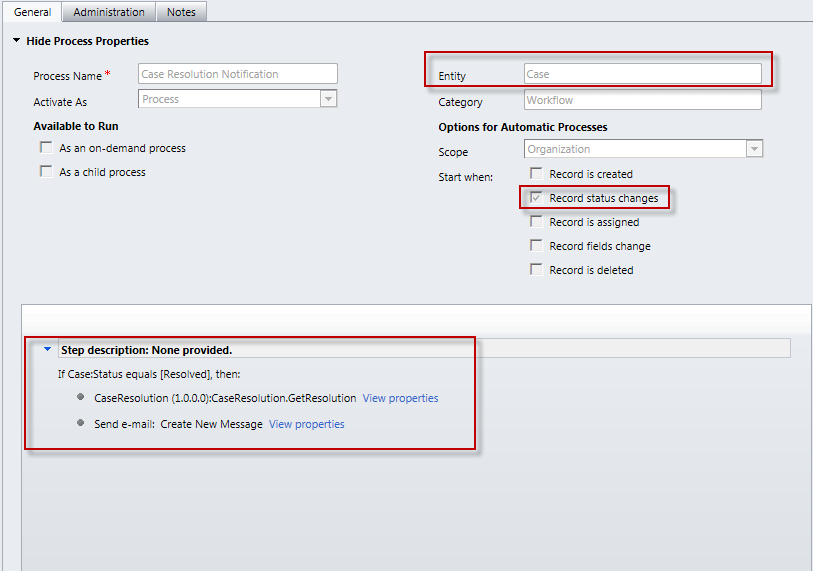
- Create a new workflow by selecting case as the primary entity and select record status changes as the trigger
- add a check condition to verify if the case status = resolved
- Add a new step and you will find the case resolution option at the very end
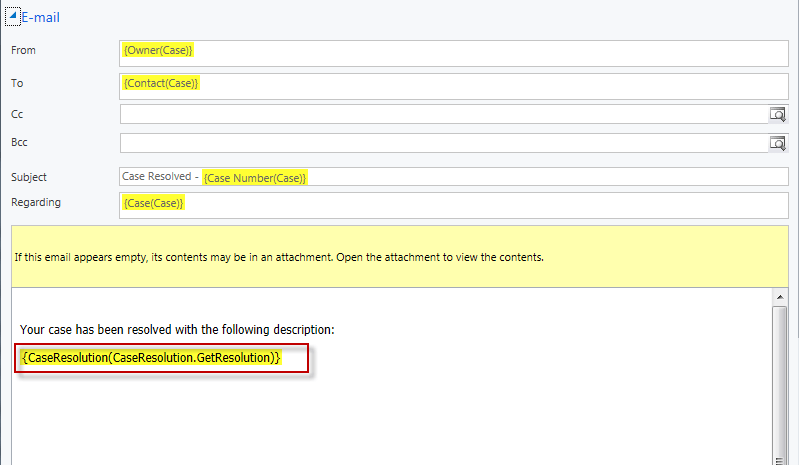
- Add a step for sending email and you can use output from previous step as email body
Workflow Design
Email Body
One Comment